


Tornado Tracker by TornadoPath
4.884.00 Reviews
App Specs
- Version
- 5.1.7
- Updated On
- License
- Free
- Downloads
- 50,000+
- Developer
- Ridge Labs LLC
- Categories
- Weather
- Platform
- Android
Screenshots
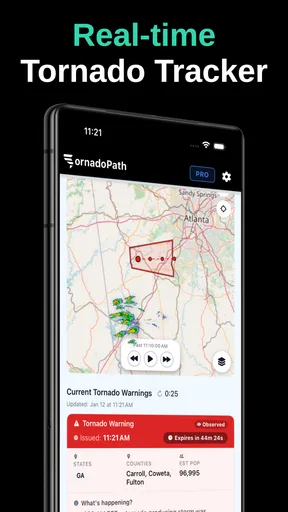
 Analysis by AppCompare
Have you ever found yourself gazing out the window, watching the dark clouds roll in, and wondering if it's just a passing storm or something more menacing? Enter Tornado Tracker by TornadoPath. This app has revved up my storm-watching game, and I’m here to dive into what makes it a must-have, especially if you live in tornado-prone areas.
When a weather check depends on the connection
A storm-tracking app is only useful when its information can reach your phone, so I think of Tornado Tracker as a companion to a wider safety routine, not a replacement for one. Its focus on live warnings, radar, and phone call alerts is most valuable when you have a reliable connection and can respond to what you see. If service becomes unreliable during severe weather, a map may not refresh when you need it most. I would keep another way to receive official local alerts available rather than relying on a single app.
That matters at home, but even more when you are on the road, at work, or visiting somewhere unfamiliar. Before heading out during unsettled weather, I would check the app while connected, note the general direction of approaching activity, and make a simple plan for where to pause if conditions worsen. This small habit uses the app as an early cue instead of waiting until a warning arrives while you are already in a difficult spot.
Getting Started with Tornado Tracker
First off, downloading Tornado Tracker is a breeze—it’s available on both Android and iOS. Once you've got it installed, the setup is incredibly user-friendly. You’ll be greeted with a sleek interface that doesn’t overwhelm you with too many options right out of the gate. Instead, it gently guides you through a simple setup process where you can customize alerts and notifications based on your preferences.
Features That Stand Out
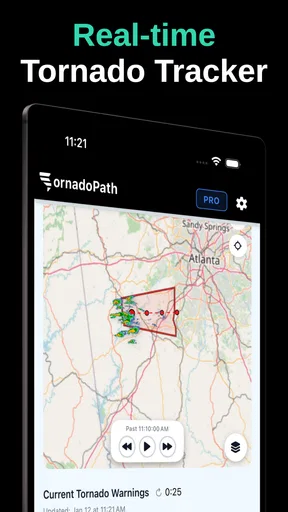
Let’s talk features. This app isn’t just about tracking tornadoes; it’s about giving you peace of mind. One of the standout features is the real-time storm tracking. The app uses a combination of radar and satellite data to provide accurate and up-to-the-minute updates on storm trajectories. It’s like having a meteorologist in your pocket!
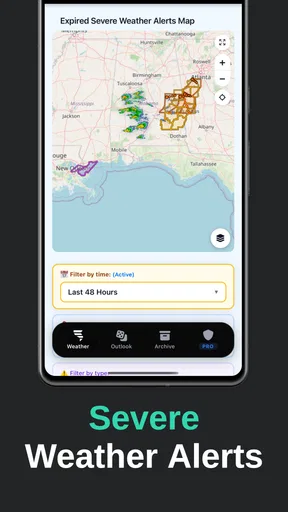
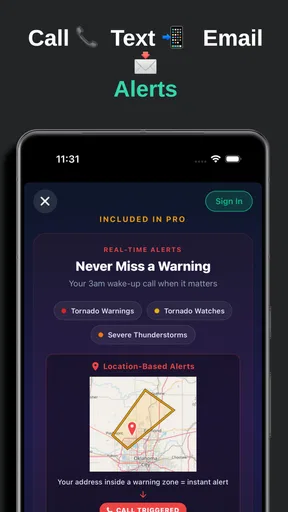
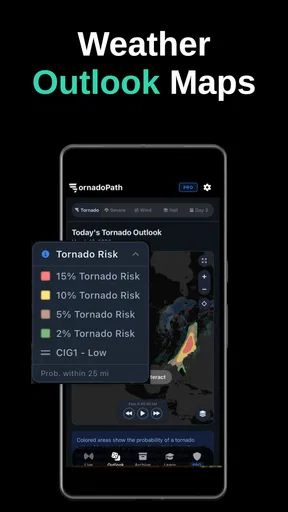
Another feature I found incredibly useful is the customizable alert system. You can set it up to notify you at varying levels of storm severity. And for those who like to be in the know, there’s a detailed weather map that shows you everything from wind patterns to storm cells. It's pretty neat if you’re into the nitty-gritty of weather patterns.
One practical tip is to decide what you want alerts to do for you before turning everything on. A warning that matters to your home may be less relevant while you are across town, while a broader alert can be useful when travel is part of your day. I’d review notification settings when my routine changes, rather than letting every alert arrive by default. The goal is to notice the important warning quickly, not to train myself to dismiss notifications because they feel constant.
Worth Reading Before You Choose

EA SPORTS FC Mobile 26 Is a Bigger Football Game, but It Takes Time

Flipboard Shows What News Apps Must Do Beyond the Feed

Switching to Android Auto Means Rethinking Your Driving Routine

Google Calendar Makes a Crowded Week Easier to Manage

Ludo King Makes the Most of the Minutes Between Plans

Baby Panda World Brings Quick Play to Modern Phones, but Its Game Library Feels Busy
Using the App Day-to-Day
Now, you might be wondering, "Is this something I’ll use every day?" Well, if you live in an area where tornadoes are as common as morning coffee, then yes, absolutely. The app’s daily weather forecast feature ensures you’re never caught off guard. It’s become my go-to app for checking the weather every morning.
But even if you’re not in tornado alley, it’s still a handy tool. The app can track other severe weather conditions, making it versatile for various climates. Plus, the community feature where users can report local weather conditions adds a layer of social engagement that I didn’t expect but thoroughly enjoy.
A realistic use case is a family deciding whether to continue an afternoon outing as storms build nearby. I would check the radar before leaving, then use an alert as a reason to reassess rather than treating it as a guarantee that a particular place is safe. If the group is already outdoors, the map can help prompt an earlier move indoors. That kind of lead time is more useful than repeatedly refreshing a forecast without a decision in mind.
For commuting, I would check before starting the drive, not while moving. Radar is easier to interpret when you are parked, and the phone call alert option may be helpful for someone who cannot watch a screen throughout the day. It still makes sense to keep the phone reachable and charged, and to follow local emergency guidance if a warning is issued. The app can help draw attention to changing conditions; it cannot make a risky route safe.
Compared with a general weather app, this one makes severe-storm awareness the main reason to open it, rather than one layer among forecasts for every kind of day. That focus suits people who want radar and tornado-related alerts close at hand. A standard forecast app may be a better everyday choice if your main questions are ordinary temperatures and rain chances, while official emergency sources remain important for authoritative instructions. I see Tornado Tracker as a focused extra, not a reason to delete either alternative.
Design and User Experience
One of the things I appreciate most about Tornado Tracker is its intuitive design. The app is clean, with a simple color scheme that’s easy on the eyes. Navigating through different features is seamless, and I rarely find myself getting lost in the app. The developers clearly prioritized user experience, and it shows.
The app also includes helpful tutorials and FAQs for those moments when you’re not sure how to use a particular feature. This makes it accessible for users of all tech skill levels, from beginners to seasoned weather enthusiasts.
Connectivity is also a data-use consideration. Live maps and frequent checks can use mobile data, so I would open them when I actually need to make a decision instead of leaving the radar on as background entertainment. On a limited plan, checking near Wi-Fi and then relying on alerts when appropriate may be a more comfortable routine. I would not assume that the map or warnings will remain current without a working connection.
If the display seems stale or an alert does not arrive, I would first check whether the phone has service and whether notifications are allowed, then reopen the app once the connection is back. For a safety-critical situation, I would not spend time troubleshooting a screen: I’d use another trusted source and follow local instructions. This is a sensible distinction for any live weather tool, and especially for one whose main value depends on timely information.
Ridge Labs LLC is the developer, and the app is free to install, with in-app purchases listed from $39.99 to $149.99 per item. I would treat the free download as a way to judge whether the alert-and-radar approach fits my routine, then read the purchase details carefully before paying for anything. The app is rated for Everyone, has a 4.4 average from 131 ratings, and has 10K+ installs. Those figures suggest a modest user base rather than proof that it will fit every household.
Who will get the most from it
I think the strongest fit is someone who lives or regularly travels in an area where severe storms are a real planning concern, wants a dedicated radar view, and is willing to keep alerts configured. It may also suit a weather enthusiast who likes to follow storm activity, provided they remember that viewing a map is not the same as receiving official safety advice.
It is less compelling for someone who only wants a simple daily forecast, dislikes notifications, or often has little or no mobile service. In those cases, a basic weather app or local alert channel may be easier to depend on. People who find storm maps stressful may also prefer a calmer forecast-first tool, checking official notices only when conditions call for it.
The current version is 5.0.6, and it requires Android 7.0 or later on Android devices. It was released on Mar 30, 2026. These details are worth checking against your phone before installing, especially if you use an older device. Once it is installed, I would take a quiet moment to learn the map and set the notifications you genuinely want; trying to figure out settings in the middle of a storm is poor timing.
Why You Should Download It
If you’ve made it this far, you’re probably wondering if Tornado Tracker is worth the space on your phone. In my opinion, it absolutely is. Not only does it provide peace of mind with its timely weather alerts, but it also educates and engages users in understanding complex weather systems.
Whether you’re a weather buff or someone who just wants to stay safe, this app is a powerful tool. It’s saved me from more than one unexpected storm, and I can’t recommend it enough. So, go ahead, give it a whirl, and stay one step ahead of Mother Nature.
My recommendation comes with one important qualification: use it as one part of a plan, alongside reliable local alerts and sensible decisions about shelter and travel. Its live-weather focus is appealing, but connectivity, notification settings, and your own location all affect how useful it feels in practice. If that trade-off suits you, Tornado Tracker is a focused option to keep within reach when the sky turns uncertain.
Pros
- Real-time tornado alerts.
- User-friendly interface.
- Detailed storm maps.
- Customizable notifications.
- Offline access to saved data.
Cons
- Limited free version features.
- Occasional notification delays.
- Data-heavy usage.
- Requires GPS for accuracy.
- No option for manual updates.
FAQs for Tornado Tracker by TornadoPath
What features does Tornado Tracker by TornadoPath offer?
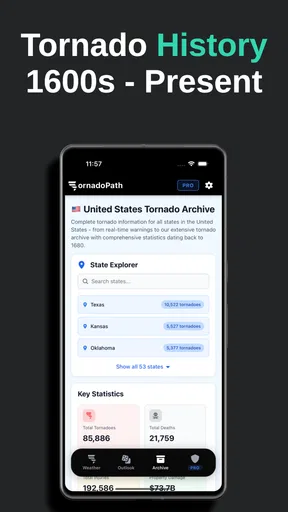
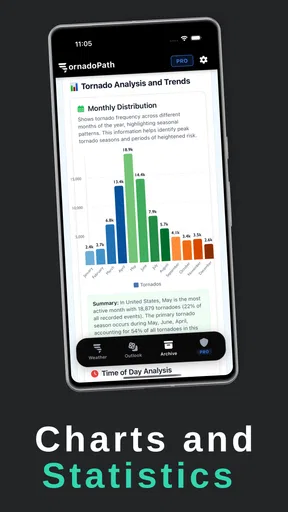
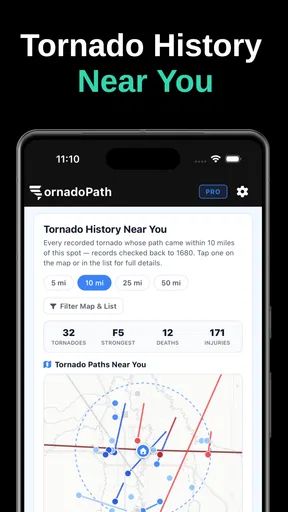
Tornado Tracker provides real-time updates on tornado paths, including detailed radar images and alerts. Users can customize notifications for specific locations and access historical data to understand patterns. The app also offers safety tips and emergency procedures to help users stay informed and safe during severe weather conditions.
Is Tornado Tracker available for both Android and iOS devices?
Yes, Tornado Tracker by TornadoPath is available for download on both Android and iOS platforms. Users can find it on the Google Play Store for Android devices and the Apple App Store for iOS devices. The app is optimized to perform efficiently on various device models.
How reliable are the alerts and updates provided by the app?
Tornado Tracker uses data from trusted meteorological sources and advanced technology to provide accurate and timely alerts. The app is designed to update users in real-time, ensuring that they receive the latest information on tornado developments and can make informed decisions during severe weather events.
Does Tornado Tracker offer any additional safety resources?
Yes, the app includes a comprehensive section dedicated to safety resources. Users can access guidelines on what to do before, during, and after a tornado, along with tips on creating emergency kits. This information helps users prepare and respond effectively to tornado threats.
Are there any costs associated with using Tornado Tracker?
Tornado Tracker offers a free version with essential features available to all users. However, there may be a premium subscription option that provides additional features, such as advanced tracking tools and ad-free usage. Users can choose the plan that best suits their needs based on the features they require.


